




Creating professional-looking videos no longer means spending hours learning complicated editing software.
- What Is CapCut Premium?
- CapCut Free vs Standard vs Pro
- CapCut Premium Features: What Do You Get With CapCut Pro?
- CapCut Pro AI Features
- More Cloud Storage
- Edit Across Mobile, Desktop and Web
- Can You Use CapCut Pro on Multiple Devices?
- CapCut Pro Monthly vs Yearly Plan
- What About CapCut Teams?
- Is There a CapCut Pro Free Trial?
- So, Is CapCut Premium Worth It?
- Want CapCut Premium but Have a Smaller Budget?
- Want CapCut Premium at a Lower Cost? Try Our Managed Group Option
- Why Choose BloggerBoosted Group Buy?
- Simple. Affordable. Managed.
- Why Buy Through BloggerBoosted?
- Who Will Benefit Most From CapCut Pro?
- Before Buying CapCut Premium
- Final Thoughts: Should You Upgrade to CapCut Premium?
CapCut has become a popular choice for YouTubers, TikTok creators, Instagram creators, bloggers, marketers, freelancers, small businesses, and anyone who wants to turn ordinary footage into polished content quickly.
The free version of CapCut already gives you plenty of useful editing tools. But once you start creating content regularly, you will probably notice templates, effects, AI tools, assets, and other features marked as premium.
That is where CapCut Premium, officially known as CapCut Pro, becomes much more useful.
CapCut Pro gives creators access to a wider collection of premium editing resources, advanced AI tools, cloud storage, cross-platform editing, premium effects, templates, and other productivity features designed to make video creation faster.
If you are wondering whether CapCut Premium is worth paying for, what you actually get with Pro, whether there is a free trial, or how to get CapCut Premium more affordably, this guide covers everything you need to know.
Affiliate Disclosure: This article may contain affiliate links. If you purchase through one of our links, we may receive a commission at no additional cost to you.
What Is CapCut Premium?
CapCut Premium is the term many users use when referring to CapCut Pro, CapCut’s paid subscription tier.
Compared with the free version, CapCut Pro provides access to more advanced editing features, premium creative assets, AI-powered tools, additional cloud storage, and greater flexibility across devices.
CapCut currently positions its Standard plan toward casual/mobile creators and Pro toward creators who want more advanced tools, premium assets, AI capabilities, and cross-platform editing.
If CapCut is becoming part of your regular content workflow instead of something you use only occasionally, upgrading can save a considerable amount of editing time.
CapCut Free vs Standard vs Pro
CapCut’s available plans can vary depending on your country, device, app version, and current promotions.
Here is the easiest way to understand the main options.
CapCut Free
Best for beginners and occasional editing.
You can use CapCut’s core editing environment without paying, making it suitable for learning the platform, creating simple social videos, cutting clips, adding text, and experimenting with basic creative features.
However, some templates, effects, AI tools, assets, export options, and advanced features require a paid subscription.
CapCut Standard
CapCut Standard is designed as a more affordable step above the free plan.
It is primarily aimed at casual creators and users who mainly edit on mobile.
Depending on your region and current subscription offering, Standard can include:
- More creative templates and materials
- Additional editing tools
- Essential AI-assisted features
- Approximately 100GB of cloud storage in applicable plans
- Access to Standard-level premium materials
Standard is primarily intended for mobile use. CapCut states that premium benefits from Standard may not carry over to the PC or web version.
So if you mainly create TikTok, Reels, Shorts, or personal videos directly from your phone, Standard may be enough.
CapCut Pro
CapCut Pro is designed for people who want the complete premium editing experience.
It is especially useful for:
- Content creators
- YouTubers
- Social media managers
- Freelancers
- Video editors
- Digital marketers
- Bloggers
- Agencies
- Small businesses
- Professional creators
Unlike Standard, CapCut Pro supports premium benefits across mobile, desktop, and web, making it much more convenient if you switch between devices.
CapCut Premium Features: What Do You Get With CapCut Pro?
This is where the upgrade becomes interesting.
1. Premium Templates
Templates are one of CapCut’s biggest time-saving features.
Instead of manually creating every transition, animation, text placement, and sequence, you can start with professionally designed templates and customize them with your own videos, images, branding, and text.
For creators publishing frequently, this can dramatically speed up production.
2. Premium Video Effects
CapCut Pro unlocks a much wider selection of visual effects.
These can help you create more polished:
- TikTok videos
- Instagram Reels
- YouTube Shorts
- Product videos
- Promotional videos
- Travel videos
- Tutorials
- Social media ads
You can spend less time manually building effects and more time focusing on the actual content.
3. Premium Transitions
Good transitions can make even a simple video feel significantly more professional.
CapCut Pro provides additional transitions that help move smoothly between clips and scenes without requiring complicated manual animation.
4. Advanced Text Styles and Templates
For social media content, text is often just as important as the video.
CapCut Pro gives you access to additional text templates and styles that can help make:
- Captions
- Titles
- Hooks
- Calls to action
- Subtitles
- Promotional messages
more visually engaging.
CapCut specifically lists advanced text templates and styles among the benefits available through Pro.
5. Advanced Filters and Visual Assets
Premium filters and creative assets give you more options for developing a consistent visual style.
This is particularly useful if you regularly produce content for the same brand, YouTube channel, business, or social profile.
Instead of your videos looking completely different every time, you can build a more recognizable visual identity.
CapCut Pro AI Features
One of the strongest reasons to consider CapCut Pro today is CapCut’s growing collection of AI-assisted editing tools.
Depending on your platform, account, region, and current plan, available AI features can include tools such as:
- Auto captions
- AI-generated content
- Camera tracking
- AI avatars
- Background-related editing
- Smart editing assistance
- Noise reduction
- Audio enhancement
- AI generation tools
CapCut’s current documentation says its upgraded Pro offering can include expanded AI capabilities and increased AI credits.
For creators producing multiple videos every week, these tools are not just fancy extras.
They can reduce repetitive editing work.
Instead of doing everything manually, AI tools can help accelerate tasks such as captioning, generating creative elements, adjusting content, and preparing videos for publishing.
More Cloud Storage
Cloud storage becomes increasingly important when you work with video regularly.
Large video projects can consume device storage extremely quickly.
CapCut’s subscription offerings include cloud storage for saving and accessing projects.
CapCut’s newer upgraded Pro documentation states that eligible upgraded Pro plans can include up to 1TB of cloud storage, although benefits can differ depending on your subscription version, region, and platform.
This can be especially valuable when you edit from multiple devices.
Edit Across Mobile, Desktop and Web
This is one of the major advantages of CapCut Pro over Standard.
With Pro, subscription benefits can be available across:
- Android
- iPhone/iPad
- Windows
- macOS
- CapCut Web
That means you could begin working on content from your phone and continue your editing workflow from a computer when you need a larger screen.
CapCut officially describes Pro as supporting cross-platform membership benefits across mobile, desktop, and web.
For serious creators, this flexibility alone can make Pro much more practical than relying entirely on mobile editing.
Can You Use CapCut Pro on Multiple Devices?
Yes.
CapCut currently states that a subscription membership can be used on up to five devices simultaneously when those devices are connected to the same CapCut account.
For example, a creator might use CapCut on:
- A smartphone
- A tablet
- A desktop computer
- A laptop
- Another personal device
without purchasing a separate individual subscription for every device.
However, there is an important distinction:
Five devices does not mean five unrelated people can freely share one personal CapCut login.
CapCut’s Terms state that account login details should remain confidential and should not be disclosed to third parties.
If several different people need their own accounts, CapCut’s multi-seat Teams structure is the more appropriate option.
CapCut Pro Monthly vs Yearly Plan
CapCut Pro generally provides both monthly and yearly subscription choices.
Both give access to the core Pro feature set.
CapCut Pro Monthly
The monthly plan is useful when:
- You need CapCut for a short-term project
- You want flexibility
- You don’t want a long commitment
- You want to evaluate Pro before paying for an entire year
You simply continue paying month by month while you need the service.
CapCut Pro Yearly
The annual plan is better suited to people who already know they will use CapCut regularly.
It can make more sense for:
- YouTubers
- Full-time content creators
- Freelancers
- Social media managers
- Businesses
- Agencies
- Marketing professionals
CapCut itself describes the annual subscription as providing better value for long-term users.
If video content is already part of your weekly workflow, repeatedly paying monthly may not be the most practical choice.
What About CapCut Teams?
If several people need CapCut, sharing one personal account is not the ideal solution.
CapCut also provides Teams functionality for collaborative use.
Current seat options documented by CapCut include:
- 3 seats
- 5 seats
- 10 seats
- 15 seats
- 30 seats
Each seat represents an individual team member.
Teams can also provide collaboration-oriented features such as:
- Shared projects
- Team cloud storage
- Brand templates
- Brand Kit tools
- Shared creative resources
- Collaborative editing
- Pro-level features for eligible team members
CapCut currently documents a shared 1,000GB Team Space as part of its Teams benefits.
This makes Teams much more appropriate when multiple people need access rather than attempting to share a personal account password.
Is There a CapCut Pro Free Trial?
Yes — and this is what I recommend trying before purchasing if you are still unsure.
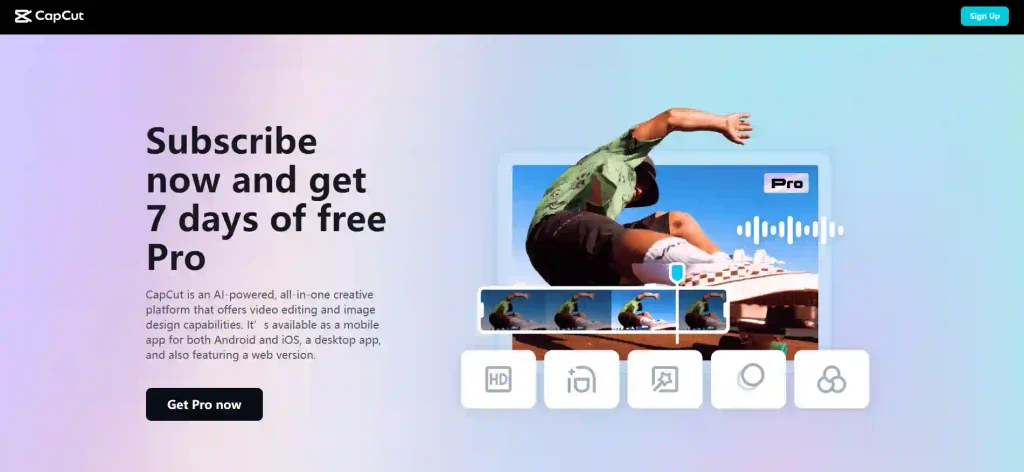
CapCut currently offers an eligible 7-day CapCut Pro free trial in selected countries and regions.
Eligibility can depend on factors such as:
- Your location
- Your CapCut account
- Your previous subscription history
- Your app version
- Whether the promotion is currently available
CapCut says the trial is generally intended for eligible users who have not previously subscribed to CapCut Pro.
If the offer is available to your account, you should see a Free Trial option on the subscription screen.
This is the easiest way to answer the question:
“Do I actually need CapCut Premium?”
- Use Pro for several days.
- Create real videos.
- Try the premium effects.
- Experiment with AI tools.
- Test your normal editing workflow.
- Then decide whether the upgrade actually saves enough time to justify the subscription.
So, Is CapCut Premium Worth It?
For someone editing one or two basic videos occasionally, the free version may already be enough.
But the situation changes when content creation becomes regular work.
Imagine creating:
- 20 Shorts every month
- Weekly YouTube videos
- Client Reels
- Business advertisements
- Product videos
- Tutorials
- Affiliate videos
- Blog-related social media content
Saving even 10–20 minutes on repeated editing tasks can quickly add up.
Premium templates, effects, text designs, cloud workflows, and AI-assisted tools can reduce the amount of manual work required for every project.
That is the real reason many regular creators consider CapCut Pro.
You are not simply paying for another collection of effects.
You are paying for a faster and more flexible editing workflow.
Want CapCut Premium but Have a Smaller Budget?
Not everyone needs or wants to pay the full individual subscription cost.
Maybe you are:
- A student
- A new blogger
- A beginner YouTuber
- A new freelancer
- Testing video content for your business
- Starting an affiliate site
- Running a small social media page
In that situation, budget matters.
This is where a properly managed group or multi-seat option can make more sense.
Instead of several users independently purchasing separate subscriptions, eligible users can participate through an appropriate multi-user arrangement where individual seats/accounts are supported.
CapCut itself provides official Teams plans with multi-user seat options, including a 5-seat configuration.
Want CapCut Premium at a Lower Cost? Try Our Managed Group Option
CapCut Pro can be a valuable upgrade for creators, but paying the full individual subscription cost may not fit everyone’s budget.
That is why BloggerBoosted offers a managed CapCut Premium multi-seat/group arrangement designed for users who want access to premium features at a more affordable cost.
Instead of organizing a group yourself, dealing with multiple people, or managing the subscription process on your own, BloggerBoosted handles the arrangement and ongoing administration for you.
How Does the BloggerBoosted CapCut Premium Group Work?
The process is kept simple.
Multiple users participate in an eligible group or multi-user arrangement, allowing the overall subscription cost to be distributed more efficiently. BloggerBoosted manages the setup, available access, member coordination, and subscription administration based on the selected package.
This makes it particularly useful for:
- Bloggers and content creators
- Students and beginners
- YouTubers and TikTok creators
- Freelancers
- Social media marketers
- Small businesses
- Anyone who needs CapCut Premium but wants a more budget-friendly option
Why Choose BloggerBoosted?
Save on Premium Access
Get the benefits you need without necessarily paying the full cost of an individual premium subscription.
Managed for You
You do not need to search for other members or organize a group yourself. The BloggerBoosted admin manages the arrangement.
Simple Buying Process
Choose an available package, complete your order, and follow the provided activation/access instructions.
Admin-Monitored Service
The group arrangement is monitored and maintained by BloggerBoosted to make the process easier for participating users.
Made for Online Creators
BloggerBoosted has been sharing resources, tools, and useful knowledge with bloggers and online creators since 2020.
Get Premium Features Without Stretching Your Budget
If you use CapCut regularly for Reels, Shorts, YouTube videos, client projects, product videos, or social media content, Premium features can make editing much easier.
But that does not necessarily mean you need the most expensive purchasing option.
With a BloggerBoosted managed CapCut Premium group package, you can choose an option that better matches your budget while still getting access according to the package terms.
No need to find group members yourself.
No complicated setup.
No unnecessary hassle.
How Does the Group Buy Process Work?
We keep the process simple and transparent.
1. Choose Your Package
Select the tool and group-buy package that matches your needs, budget, and required duration.
2. Add Your Email
Provide the email address you want to use for the selected package. For tools that support individual invitations or seats, this may be the email used to add you to the subscription.
3. Wait for Admin Confirmation
After receiving your order, the BloggerBoosted admin reviews your details and confirms your place in the selected group.
4. Wait for the Required Seats to Fill
Some group packages require a specific number of participants before the subscription can be activated.
For example, if a package supports five members, activation may begin after all required seats are confirmed.
This group-based approach helps distribute the subscription cost and makes premium tools more affordable for everyone participating.
5. Get Notified When Your Package Is Ready
Once the group is complete and the subscription is prepared, BloggerBoosted will notify you with the next steps.
You do not need to repeatedly check the status or manage other members yourself.
6. Receive Your Access
Depending on how the original service supports multi-user access, you may receive:
- An invitation to your registered email
- An assigned team or workspace seat
- Account access instructions
- Login information where permitted by the service
- Other activation details required for your package
BloggerBoosted manages the access process so you can start using your package with minimal setup.
7. Get Ongoing Admin Support
The service does not stop after activation.
BloggerBoosted continues to manage the group arrangement and provides assistance for package-related access or administrative issues during the applicable service period.
CapCut Premium Group Buy
Active0 / 5 participants · 0% discount
Base price: $ 5.00Discounted price: $ 5.00
Why Choose BloggerBoosted Group Buy?
Premium Tools at a More Affordable Cost
You may not need to pay the full individual subscription price when an eligible group, team, family, or multi-seat option is available. Group buying helps make useful premium tools more accessible to bloggers, students, freelancers, marketers, creators, and small businesses working with limited budgets.
No Need to Find Group Members Yourself
- Finding trustworthy people to share the cost of a subscription can be difficult.
- With BloggerBoosted, you do not have to organize the group yourself.
- We handle participant coordination and package management.
Managed From Start to Finish
From receiving your order to filling the available seats, setting up access, providing instructions, and supporting the package, the process is managed by BloggerBoosted.
Convenient for Busy Creators
- You focus on your work.
- We handle the group administration.
- There is no need to coordinate separate payments, contact multiple participants, or manually manage the group.
Reliable Admin Support
If you face an access-related issue with your package, you have a point of contact instead of trying to solve the group arrangement on your own.
Helping Bloggers Since 2020
BloggerBoosted has been helping bloggers and online creators since 2020 by sharing useful resources, tools, knowledge, and practical solutions designed to make online work easier and more affordable. Our managed group-buy service follows the same goal: helping creators access useful resources without unnecessary complexity.
Simple. Affordable. Managed.
With BloggerBoosted Group Buy, the process is straightforward:
Process of CapCut Group Buy
Choose your tool → Select a package → Add your email → Get confirmed → Wait for the group to fill → Receive access → Get admin support
Why Buy Through BloggerBoosted?
More Budget-Friendly
The biggest advantage is cost.
For creators who are just getting started, reducing monthly software costs can make it easier to invest in the tools they actually need.
Managed by Admin
The arrangement is monitored and managed by the BloggerBoosted admin, so users do not have to organize the group themselves.
Built for Bloggers and Creators
BloggerBoosted has focused on helping bloggers and online creators with shared resources and useful knowledge since 2020.
Simple Process
The idea is to keep the purchase and access process straightforward rather than making users deal with unnecessary technical steps.
Suitable for People Testing Premium Tools
If you already know you need CapCut Pro but do not yet want to commit to a higher-cost individual subscription, a supported budget option can provide an alternative.
Who Will Benefit Most From CapCut Pro?
CapCut Premium makes the most sense for people who create content regularly.
- YouTubers: Create Shorts, intros, captions, transitions, promotional clips, and full videos more quickly.
- TikTok Creators: Use templates, effects, text animations, and AI-assisted tools to keep up with frequent posting.
- Instagram Creators: Produce Reels, product clips, tutorials, and promotional videos without moving through multiple editing apps.
- Bloggers: Turn existing blog content into short videos that can bring additional exposure from social media platforms.
- Affiliate Marketers: Create comparison videos, product demonstrations, short ads, and promotional content much faster.
- Freelancers: A faster workflow means being able to complete more client projects without spending as much time on repetitive editing.
- Businesses: Create marketing content, social videos, advertisements, tutorials, and product videos internally instead of outsourcing every small editing job.
Before Buying CapCut Premium
A few things are worth checking first.
- Check the Current Price: CapCut pricing can vary by region, platform, device, and promotion, so there is no single global price that applies to everyone. Always check your actual subscription screen before comparing prices.
- Check Your Trial Eligibility: If you qualify for the free trial, use it before purchasing.
- Decide Which Devices You Use: If you regularly switch between computer and mobile, Pro is more suitable than a mobile-focused Standard subscription.
- Think About Your Editing Frequency: If you only edit occasionally, free or Standard may be enough. If you edit continuously, Pro is considerably easier to justify.
- Check Multi-User Requirements: If several people will be using the subscription, use a supported Teams/seat arrangement instead of treating the five-device allowance as permission to share one password among five unrelated users.
Final Thoughts: Should You Upgrade to CapCut Premium?
CapCut’s free editor is still a powerful starting point. But there comes a point where repeatedly working around premium restrictions costs more in time than the subscription saves in money.
If you regularly create videos for YouTube, TikTok, Instagram, affiliate marketing, blogging, freelancing, or your business, CapCut Pro can make the entire editing process faster and give you access to a much larger creative toolkit.
The best approach is simple:
You do not need to pay for features you will never use.
But if CapCut is already one of the tools you open every week, Premium may be one of the easiest upgrades you can make to your content-production workflow.
CapCut Premium Group Buy
Active0 / 5 participants · 0% discount
Base price: $ 5.00Discounted price: $ 5.00