




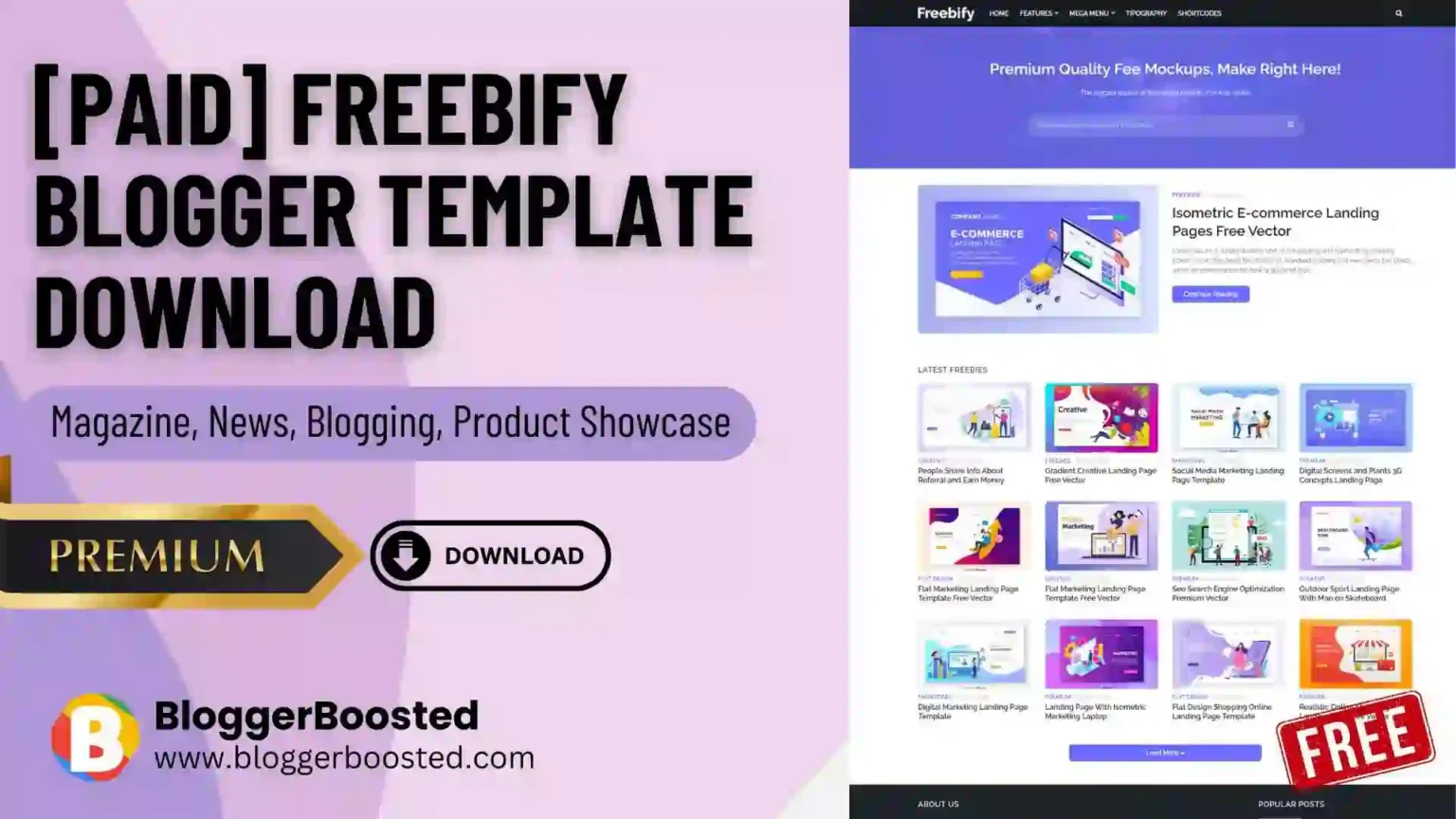
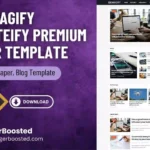
Looking for a fast, responsive, and SEO-friendly Blogger template for your website? Freebify is a modern Blogger theme designed for blogs, magazine websites, tutorials, technology sites, resource websites, and other content-focused projects.
Freebify offers a clean layout with multiple content sections, ad spaces, dark mode, responsive design, customization options, and features that help you build a professional-looking Blogger website.
Templateify developed the theme and offers both a free and a premium version of Freebify.
Freebify Blogger Template Features
Some of the main features available in Freebify include:
- 100% responsive design
- SEO-optimized structure
- RTL support
- Dark mode
- Boxed layout option
- Fixed navigation menu
- Mega Menu support
- Featured post section
- Header advertisement area
- AdSense/in-feed advertisement areas
- In-article advertisement sections
- Responsive YouTube videos
- Advanced post-sharing buttons
- Author box
- Disqus and Facebook comments
- Sidebar post widgets
- Footer advertisement section
- Footer menu
- Templateify post shortcodes
- Fast-loading design
- Customizable fonts, colors, backgrounds, and widths
- Lifetime template updates with the premium version
These features make Freebify particularly useful for blogs that publish tutorials, news, resources, downloads, technology content, or other regularly updated articles.
Why Should You Use Freebify on Your Blogger Website?
Choosing the right Blogger template can significantly affect how visitors interact with your website.
1. Responsive Design
Freebify is designed to work across different screen sizes, including desktops, tablets, and smartphones. This is important because a large portion of website traffic now comes from mobile devices.
2. SEO-Friendly Structure
Templateify markets Freebify as an SEO-optimized Blogger template. Its structure includes features such as breadcrumbs and organized content sections that can help create a better foundation for search-engine-friendly content.

However, remember that a template alone cannot guarantee Google rankings. Your content quality, site structure, backlinks, page experience, and overall SEO strategy still matter.
3. Designed for Monetization
If you plan to monetize your Blogger website, Freebify offers several ad placements, including header ads, homepage/in-feed ads, and in-article ad areas.
This can make the theme useful for websites using Google AdSense or other legitimate advertising platforms.
4. Easy Customization
You don’t need advanced coding knowledge to customize the theme’s appearance. Templateify provides Blogger customization and documentation for areas such as menus, widgets, colors, fonts, layouts, and other theme options.
5. Dark Mode
Freebify includes a one-click dark mode option, giving visitors an alternative viewing experience and a more modern look.
Freebify Blogger Template: Pros and Cons
Free vs Premium Freebify
Templateify officially offers a free version of Freebify as well as a premium license.
The free version is useful if you just want to try the design and basic functionality. The premium version is more suitable if you want additional licensing benefits, no encrypted scripts, footer-credit removal, customization support, and premium support.
Before downloading a copy from a third-party website, we recommend checking the official Templateify page and using the legitimate version whenever possible.
How to Install Freebify on Blogger
Installing a Blogger template is relatively straightforward.
- Download the Freebify template file.
- Back up your existing Blogger theme.
- Open your Blogger Dashboard.
- Go to Theme.
- Open the theme options and choose the appropriate HTML/editing option.
- When using the HTML installation method, replace the existing theme code with the Freebify code.
- Save the theme.
- Check your website on both desktop and mobile devices.
- Configure the logo, menu, widgets, advertisements, social links, and other theme settings.
Templateify also provides official Freebify documentation covering logo setup, menus, the hero section, featured posts, advertisements, download buttons, the author box, sidebar widgets, footer sections, and theme options.
Is Freebify Good for Your Website?
Freebify can be a good choice if you use Blogger and want a magazine-style, resource-focused, or content-heavy website.
It is especially suitable for:
Responsive design, content sections, advertising placements, customization options, and SEO-oriented features make it a versatile Blogger theme.
Get Freebify from the Official Templateify Website
For the safest, most reliable version of Freebify, we recommend getting it directly from the original developer, Templateify.
👉 Get Freebify from Templateify:
Freebify Blogger Template – Official Templateify Page
Affiliate disclosure: This article may contain affiliate links. If you purchase Freebify through our link, we may receive a commission at no additional cost to you. We only recommend obtaining the theme from the official vendor, so you receive the legitimate version, documentation, and applicable license benefits.
Final Verdict
Freebify remains an interesting option for Blogger users who need a responsive, customizable, SEO-oriented, and advertisement-ready theme.
Its strengths include a responsive layout, multiple content sections, monetization options, dark mode, RTL support, customization features, and Blogger-focused documentation.
If you are building a new Blogger website or redesigning an existing one, Freebify is worth considering. For long-term use, however, check the current compatibility and licensing information on the official Templateify website before installing the theme.